What achievements actually show
Your GitHub profile is often the first thing a stranger sees before they decide whether to work with you.
Achievements and badges sit right on that page, so the question is not just whether they look nice.
It is whether they help the right people trust you faster, or whether they distract from the proof that actually matters.
This guide covers what achievements are and what a private profile hides.
It also helps you decide what to show based on your next goal: co-founder, client, job, or community credibility.
GitHub describes achievements and badges as recognition of your participation in programs or milestones.
They appear alongside other profile elements such as your profile README, personal info, contribution activity, and pinned repositories.
In other words, they are one signal among several, not the headline of your profile.
By default, your contribution graph and achievements only show activity from public repositories.
You can choose to include private repository activity too, with the details anonymized.
That default matters: if most of your meaningful work happens in private company repositories, your public achievements may underrepresent what you actually do.
It also matters that achievements reflect participation, not quality.
A badge can tell a visitor you were active in a program or hit a milestone.
It cannot tell them whether your code was good, whether you shipped something useful, or whether you are easy to work with.
Those things come from your repositories, your README, and your contribution story.
What a private profile hides
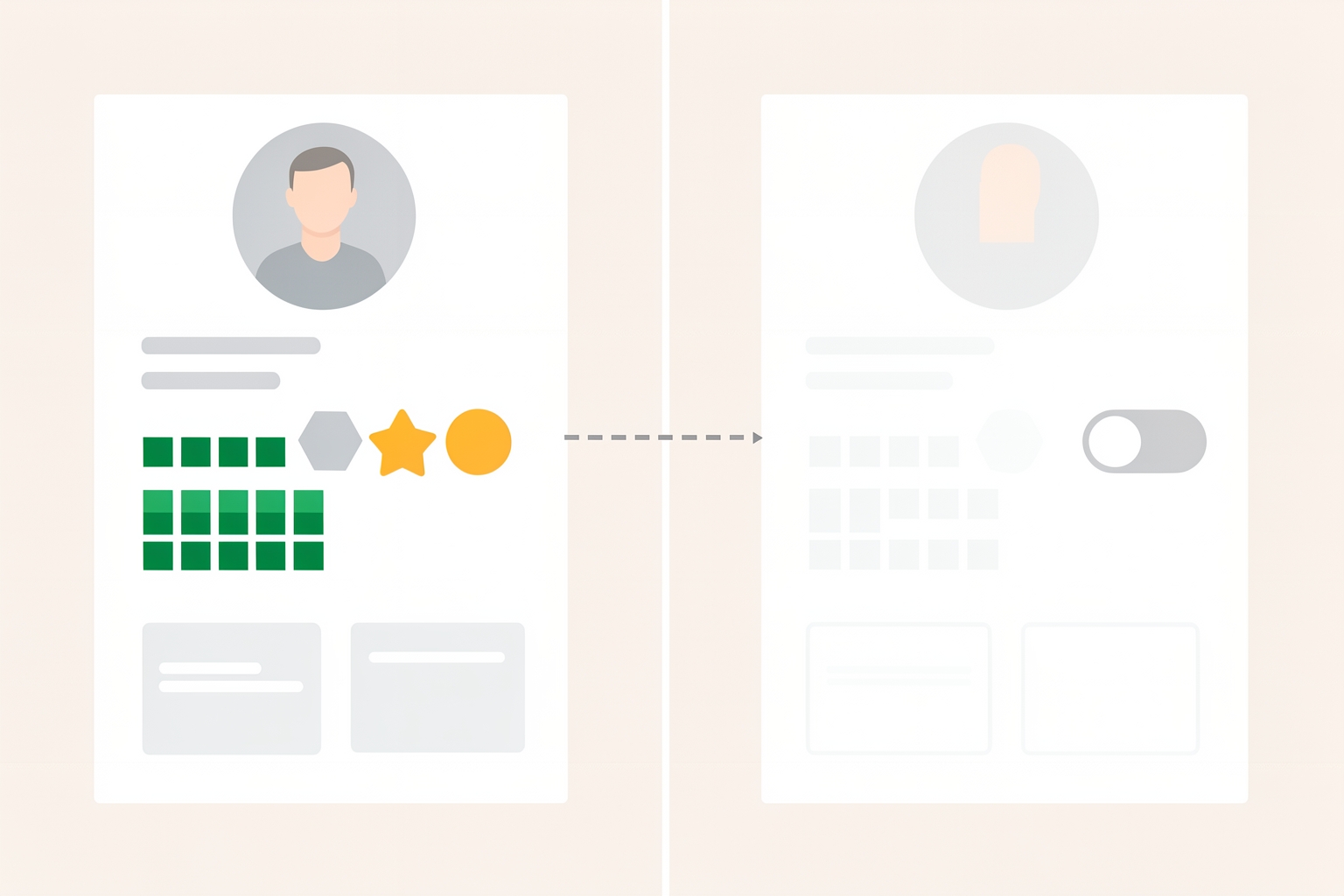
If you want to hide achievements, the main lever is making your whole profile private.
GitHub documents that a private profile hides achievements, highlights, your activity overview and feed, and the contribution graph.
It also hides follower and following counts, follow and sponsor buttons, organization memberships, stars, projects, packages, and pronouns.
Not everything disappears.
When your profile is private, your README, bio, and profile picture remain publicly visible.
So you keep a small amount of control over how you introduce yourself, but you lose the activity-based signals entirely.
There is a tradeoff to understand here.
A private profile hides information from all users, and GitHub notes there is currently no option to allow specified users to see your activity.